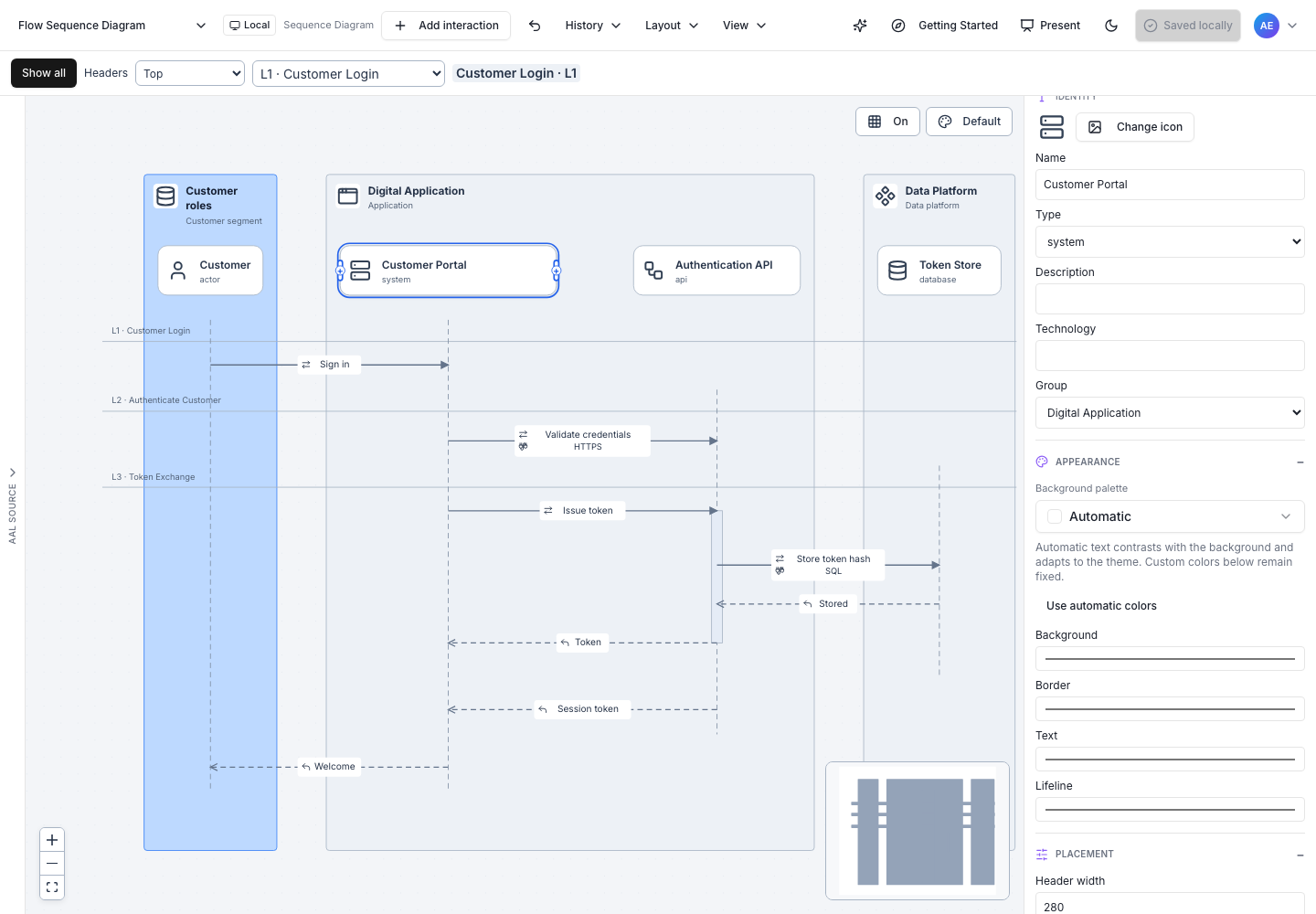
Workspace tour
| Area | What it controls |
|---|---|
| Toolbar | Add, Undo/Redo, layout density, Auto Layout, presentation, AI, and explicit Save. |
| Sequence navigation | Choose the editing sequence, follow breadcrumbs, toggle Show all, and repeat participant headers. |
| Source panel | The authoritative AAL. Resize the divider on desktop; use Find, Format, font size, and clickable diagnostics. |
| Inspector | Identity, appearance, labels, placement, and contextual organization for the selected object. |
| Canvas | Select participants or labels, connect participants, resize headers, and refine positions. |
The source panel opens on desktop and starts closed on compact screens. Use Hide source and its collapsed rail, or View → AAL source, consistently across all three designers. Hiding preserves draft, cursor, find, and scroll state. Open Source or Inspector through View. On narrow screens, opening one panel closes the other; desktop panel preferences return when space is available. Inspector scrolls vertically. Shared participant identity and sequence-local appearance are labeled separately.